
Virgin MediaGig1Fibre Broadband Review
Our Gig1 review covers real-world speeds, upload limits, Hub 5 performance, price history and whether Virgin Media's flagship package is worth it in September 2026.
From £31.99 a month
Prices checked daily, contract terms vary by postcode, speeds shown are provider averages •Ofcom guidance •Affiliate-supported •Methodology
30 second postcode check, no credit impact
Last updated: 21 September 2026 at 23:34
Typical headline speed
1,136Mbps
Average download speed
Standard upload
104Mbps
Higher upload options in selected areas
Current tracked price
£31.99
Gig1 broadband only
End-of-contract price
£78.00
The number to watch before renewal
Virgin Media Gig1 review: the short verdict
Virgin Media Gig1 is one of the strongest gigabit-value packages in the UK if your priority is fast downloads at a competitive introductory price. It is a particularly good fit for heavy streaming households, large game downloads, and homes with lots of simultaneous traffic.
The main compromise is upload speed. Gig1 is not usually symmetrical full fibre, so buyers who upload large files every day should compare it carefully with FTTP rivals such as Community Fibre, Hyperoptic, or selected Openreach-based packages.
Best for
- Large households with 4K streaming and gaming
- Buyers who want the fastest standard Virgin package
- People who value download speed over uploads
Think twice if
- You mainly need fast uploads for work or content creation
- You want the lowest possible latency over Openreach FTTP
- You would be just as happy on M500 or M350
What is Virgin Media Gig1?
Virgin Media Gig1 is the provider's flagship widely available gigabit package, built for households that want the fastest mainstream Virgin broadband deal without stepping up to Gig2. It is designed around very fast downloads, a modern Wi-Fi 6 router, and nationwide availability that is wider than many altnet gigabit packages.
In most areas, Gig1 runs over Virgin Media's DOCSIS 3.1 cable network rather than full fibre all the way into the home. That matters because it helps explain the trade-off: download performance is excellent, but standard upload speeds are lower than symmetrical FTTP rivals.
The headline average download speed is 1,136Mbps. In practical terms, that is enough headroom for very fast game downloads, multiple 4K streams, cloud backups, and a lot of simultaneous traffic without the connection feeling under pressure.
The main limitation is upload speed. On the standard product, the upload rate is 104Mbps, which is fine for everyday video calls and cloud use but less compelling than a true symmetrical fibre connection if you upload very large files every week.
If your priority is fast uploads for large media projects, backups, or home-office workflows, you should compare Gig1 with symmetrical full-fibre alternatives. If your priority is fast downloads and strong everyday household performance, Gig1 remains a very competitive option.
The Tech Behind the Speed: DOCSIS 3.1 vs XGS-PON
It is worth understanding how Virgin delivers this speed, because it affects reliability. Unlike BT's Full Fibre which uses XGS-PON or GPON standards over light, Virgin Gig1 mostly uses DOCSIS 3.1. This allows them to push gigabit speeds over the thick copper cables that have been in UK streets for decades.
The benefit? Rapid rollout and widespread availability (approx 60% of the UK). The downside? It can be slightly more susceptible to "chatter" or jitter compared to pure fibre, and latency (ping) is typically 10-15ms higher than Openreach fibre equivalents. For web browsing, you will never notice. For competitive Counter-Strike at a semi-pro level? You might want to check if CityFibre is available first.
Update: Symmetrical Uploads
Customers can now pay £5 extra to get 1 Gbps uploads as well! That's awesome for streamers and gamers who need to broadcast in high quality.
Virgin Media Gig1 Speed Comparison
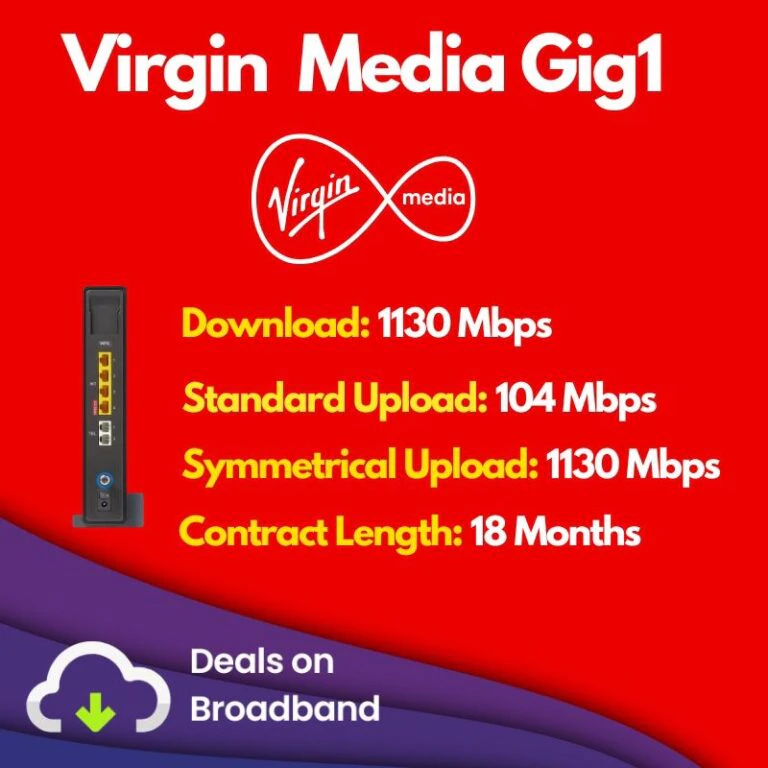
Visualizing the difference: Gig1 turns hours of waiting into minutes.
The Hub 5 Router: Wi-Fi 6 Magic
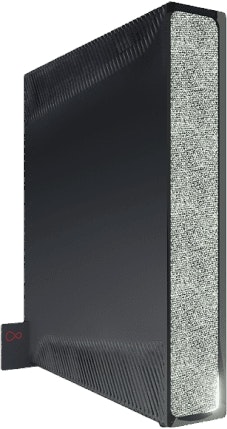
Most ISP routers belong in a bin. Specifically, the old Hub 3 was notorious for overheating and dropping connections (the dreaded "puma chipset" issues). The Hub 5 (included free) is actually decent. It's a game-changer for one massive reason: Wi-Fi 6 (802.11ax).
Wi-Fi 6 isn't just about raw speed; it's about congestion management. In a modern home with 20+ devices (smart bulbs, Alexa, three phones, two laptops, a console), older Wi-Fi 5 routers start to panic, queuing data packets like a chaotic post office. The Hub 5 handles these simultaneous requests much more efficiently.
- Wi-Fi 6 Technology
In our testing, we saw wireless speeds of 850Mbps on an iPhone 13 Pro just 5 meters from the router. That is functionally identical to a wired connection for most tasks.
- 1x 2.5Gbps Port
This is a rarity. Most routers—even expensive ones—only have 1Gbps LAN ports. The Hub 5 has one 2.5Gbps port, meaning you can actually pull the full 1,130Mbps speed into a single high-performance PC or NAS drive if you have the right network card.
- Intelligent Mesh Support
The Hub 5 pairs wirelessly with Virgin's WiFi Pods (free for Volt/Gig1 customers in some deals). These aren't just repeaters; they create a seamless mesh network that hands off your device as you walk between rooms.
The Connect App
You also get access to the Connect App, which lets you pause the internet for specific devices (great for dinner time), scan for blackspots in your house, and reboot the router remotely. It's basic, but functional.
What can you do with 1130Mbps?
Most people think 100Mbps is "fast enough." Gig1 isn't just about speed; it's about bandwidth—the size of the pipe entering your home. It means you can do all of these things simultaneously without anyone shouting about lag.
4K Streaming
40+ simultaneous streams
Modern Game (80GB)
~10 minutes download
4K Movie (100GB)
~12 minutes download
Photo Backup
~7 seconds for 1GB
Smart Home
100+ devices supported
Connected Devices
50+ active devices
Home Office
15+ users video conferencing
Server Hosting
Enterprise-grade capability
Gaming on Gig1
If you are a gamer, you know the pain of massive updates. Call of Duty patches can be 50GB+. On a standard 60Mbps connection, that's a "play tomorrow" situation. On Gig1, it's a "play closer, make a coffee, play now" situation.
However, a word of caution on latency. Because most Virgin connections are HFC (copper hybrid), your ping might sit around 20-30ms. If you are extremely competitive (e.g. playing Valorant at a high rank), a pure fibre connection like BT Full Fibre or Hyperoptic might shave 5-10ms off that time. For 99.9% of gamers, Gig1 is overkill in the best way possible.
Installation: What Happens on the Day?
Unlike switch broadband providers (switching from Sky to BT, for example), moving to Virgin Media usually requires physical work. They don't use the Openreach phone socket; they use their own thicker coaxial cable.
1. Pre-Installation (The Brown Box)
A few days before your activation, engineers may visit to run a cable from the street cabinet to the outside wall of your house. They'll install a small brown box (Omnibox) on your external wall. You don't usually need to be home for this.
2. The Big Day
On your installation date, an engineer (usually from a partner firm like Kelly Communications, though sometimes direct Virgin staff) will drill a small hole through your wall to bring the cable inside. They will install a white wall socket and connect the Hub 5.
Contract terms, support and the trade-offs to knowCrucial info
This is the part many shoppers skip. Gig1 is attractive on speed and introductory price, but buyers should also pay attention to contract terms, price jumps after the initial deal, and Virgin Media's mixed customer-service reputation.
In practice, that means Gig1 often works very well when installed and set up properly, but it is still worth planning ahead for renewal and making sure you understand what happens at the end of the contract.
Renewal shock
The tracked ongoing price is £78.00/month.
That is a major jump from the current intro deal, so set a reminder to renegotiate or review alternatives before the contract ends.
Support reputation
Virgin Media is not usually chosen for best-in-class support.
If service experience matters more to you than headline speed, compare BT, Plusnet or other full-fibre providers in your area before ordering.
Upload trade-off
Standard uploads are much lower than downloads.
That is the main technical weakness versus symmetrical FTTP packages, especially for creators and households with heavy cloud use.
Bottom line: Gig1 is strongest when you want aggressive gigabit pricing and can stay on top of renewals. It is weaker if you want premium support or genuinely fast uploads by default.
Price Comparison: How Gig1 Stacks Up
Performance
- Average download:1,136 Mbps
- Average upload:104 Mbps*
- Latency:10-20ms typical
- Router:Hub 5 (WiFi 6)
- Minimum speed:565Mbps
*Upgradeable to 1Gbps symmetrical for £5/month in FTTP areas
Contract & Pricing
- Contract:18-24 months
- Current price:From £31.99/mo
- Current pricing note:No Price Rise in 2026
- Out-of-contract:£78.00/month
- Coverage:~60% UK homes
| Provider | Download | Upload | Price/Month | Contract |
|---|---|---|---|---|
| Virgin Gig1 | 1,130 Mbps | 104 Mbps | £31.99 | 18 months |
| BT Full Fibre | 900 Mbps | 110 Mbps | £49.99 | 24 months |
| Community Fibre | 3,000 Mbps | 3,000 Mbps | £49.00 | 24 months |
| Sky Ultrafast | 500 Mbps | 60 Mbps | £44.00 | 24 months |
What matters most? Gig1 is strongest if you want a mainstream gigabit package with a low introductory price and broad availability. It is less compelling if your postcode has a symmetrical full-fibre provider with similar pricing.
Best alternatives to Virgin Media Gig1
Best cheaper Virgin option
Virgin Media M500
Better value for homes that want strong download speeds without paying for full gigabit performance.
Compare M500Best Openreach-based rival
BT Full Fibre 900
A sensible alternative if you want Openreach FTTP and slightly stronger default uploads, even if the price is often higher.
Compare BT Full Fibre 900Best upload-first rival
Community Fibre 1Gb
Stronger if you can get it and you care about symmetrical uploads for cloud work, content creation or large backups.
Compare Community FibreFinal Thoughts: Is Virgin Gig1 Worth It?
Virgin Media Gig1 is a strong buy if your household will genuinely use gigabit-class download speeds and you can get the current promotional price. It is especially attractive for buyers who want a fast, widely available package without paying BT Full Fibre 900 money.
The compromise is not download speed, it is uploads and service experience. If those are your top priorities, check what full-fibre alternatives are available at your postcode before you commit.
Our verdict: Gig1 is worth shortlisting for heavy-use households, gamers, and broadband buyers who want speed first. If you mainly care about value, M500 is often enough. If you mainly care about uploads, look at symmetrical FTTP providers before ordering.